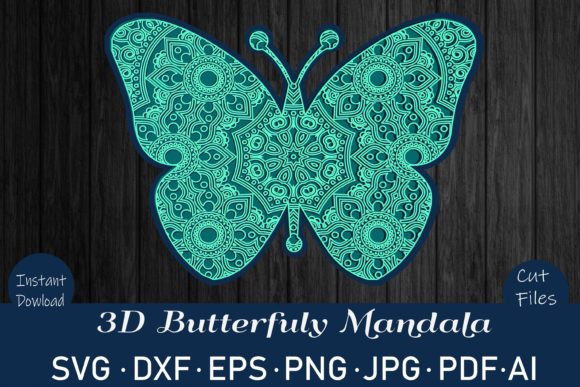
Evaluating the Butterfly 3D Mandala: A Comprehensive Guide to Digital Cutting Assets
In the realm of digital crafting and design, selecting the right asset can significantly impact the quality and versatility of your final project. The Butterfly 3D Mandala from Rizu Designs Materials represents a sophisticated intersection of intricate geometry and organic form, designed specifically for precision cutting and printing applications. For creators who frequently navigate between vinyl cutters, laser engravers, and sublimation printers, understanding the technical specifications and workflow compatibility of such files is crucial. This analysis explores what makes this specific bundle distinct, how its multi-format structure serves different manufacturing needs, and which user profiles will benefit most from acquiring these resources.
Understanding the Core Design Concept
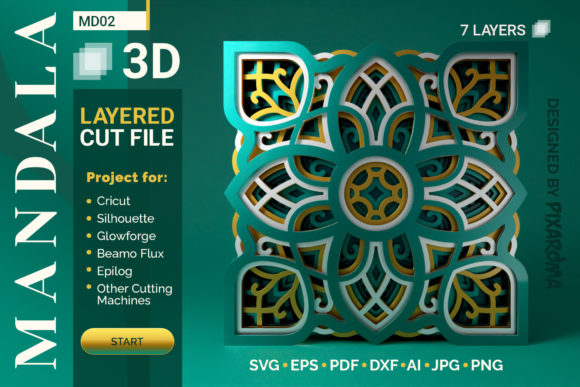
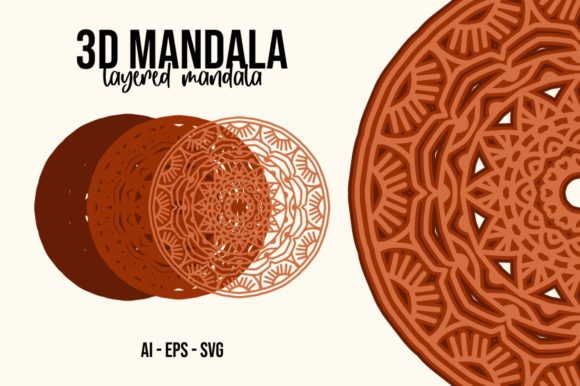
A mandala, by definition, is a geometric configuration of symbols that often represents unity or wholeness. When rendered in a "3D" style within a digital vector file, the design typically utilizes overlapping paths, layered opacity (in raster formats), or strategic cut lines to create depth and shadow effects when physical materials are assembled. The Butterfly 3D Mandala takes this concept further by integrating the fluid, asymmetrical beauty of butterfly wings with the rigid, hypnotic symmetry of traditional mandalas.
What distinguishes this particular asset is not just its aesthetic appeal, but its engineering for modern fabrication tools. Unlike simple clipart, a 3D mandala requires precise line weights and closed paths to ensure clean cuts on materials ranging from delicate cardstock to dense acrylic. The design serves as both a standalone decorative piece and a template for more complex assemblies, allowing crafters to experiment with layering techniques that produce tangible depth rather than flat, two-dimensional imagery.
File Format Versatility and Technical Compatibility
The primary value proposition of the Rizu Designs Materials bundle lies in its comprehensive format selection. Digital crafting workflows vary wildly depending on the software ecosystem a user prefers. Some designers rely on cloud-based platforms like Cricut Design Space, while others prefer desktop-heavy environments like Adobe Illustrator or Silhouette Studio. Providing a single format often forces users into software migrations or results in poor rendering quality.
This bundle mitigates those friction points by offering a complete suite of industry-standard files:
- SVG (Scalable Vector Graphics): Ideal for direct input into cutting machines like Cricut and Silhouette. SVGs retain editable nodes and layers, allowing users to separate the mandala’s concentric rings or butterfly elements for individual coloring or material changes.
- DXF (Drawing Exchange Format): A universal vector standard. While often associated with CAD software, DXF files are essential for users who need to import designs into basic editions of Silhouette Studio or other entry-level cutting software that may not fully support proprietary SVG features.
- EPS and AI (Encapsulated PostScript & Adobe Illustrator): These formats are critical for professional graphic designers. They preserve complex vector data, gradients, and transparency effects, making them suitable for high-end print production or further manipulation in Adobe Creative Cloud applications.
- PNG and JPG (Raster Images): Included as high-resolution (300 DPI) transparent and white-background cliparts, these files serve different purposes. PNGs are perfect for digital scrapbooking, web graphics, or sublimation transfers where background removal is necessary. JPGs offer broader compatibility for older printers or quick preview purposes.
- PDF (Portable Document Format): Useful for stable layout preservation, especially when sending files to third-party print shops or using them as reference guides for hand-cutting projects.
Cutting Machine and Software Ecosystem
One of the most common hurdles in digital crafting is ensuring file compatibility across different hardware ecosystems. The Butterfly 3D Mandala bundle is engineered to bridge these gaps effectively. It explicitly supports major platforms including Cricut Design Space, Silhouette Studio (both Basic and Designer Editions), Sure Cuts A Lot, Make the Cut, Brother Scan N Cut, Inkscape, CorelDRAW, and Adobe Photoshop/Illustrator.
For users operating on a budget, the inclusion of DXF and SVG files ensures accessibility even without expensive software upgrades. For instance, while some advanced vector manipulations require the paid Designer Edition of Silhouette Studio, the provided DXF and SVG files allow users with the free Basic Edition to import and cut the design successfully. Similarly, open-source users can utilize Inkscape to open the SVG or EPS files, modify the color separation for multi-layered vinyl projects, and export back to a machine-readable format.
Material Applications and Fabrication Considerations
The versatility of the Butterfly 3D Mandala extends beyond just software compatibility; it also spans various physical materials. Because the source files are vectors, they are resolution-independent, meaning the design can be scaled from a small 2-inch coaster to a large 48-inch wall art piece without losing edge sharpness.
Vinyl and Sticker Production: When used with electronic cutters, the intricate details of the mandala pattern make it excellent for window clings, laptop decals, or car decals. The 3D effect can be achieved by using contrasting vinyl colors for the inner and outer rings, creating a visual pop-out effect once applied.
Laser Cutting and Engraving: The bundle is noted as being ready for CNC machines, plasma, laser, and water jet cutters. This is particularly relevant for hobbyists working with wood, acrylic, or metal. The vector paths provide the exact trajectory for laser heads, allowing for precise kerf compensation if needed. For wood veneer or plywood, the mandala’s geometric nature allows for beautiful shadow play when backlit.
Sublimation and Printing: The included 300 DPI PNG and JPG files cater to the sublimation market. Sublimation ink bonds with polymer-coated surfaces, turning fabrics, mugs, and tiles into canvases. The high resolution ensures that the fine lines of the butterfly wings do not blur during the heat-press process. The transparent PNG version is especially valuable here, as it allows the designer to place the mandala over any background color or image within their design software before exporting to the printer.
Evaluating Tradeoffs and Limitations
While the Butterfly 3D Mandala is a robust resource, potential buyers should consider certain tradeoffs inherent to complex mandala designs. First, the density of the lines can pose challenges for smaller cutting blades. If attempting to cut very thin vinyl on a detailed section of the mandala, there is a risk of tearing or incomplete cuts. Users may need to adjust blade pressure or use a weeding tool with fine tips to remove excess material from the intricate centers.
Secondly, the "3D" aspect is largely dependent on the user’s execution. The file provides the geometry, but the depth perception is created through material choice and assembly. A novice user might simply cut the entire design in one color, resulting in a flat but still beautiful pattern. To achieve the advertised 3D look, one must invest time in sorting layers, potentially using different materials (e.g., glitter vinyl for the center, matte for the wings), and assembling them with spacing or adhesive foam tape.
Additionally, while the DXF file is compatible with Silhouette Studio Basic, users should verify that their specific version supports the complexity of the node count. Extremely high-node-count files can sometimes cause lag or crashing in older versions of design software. Testing the file in a safe environment before committing to expensive materials is always recommended.
Determining the Right Fit for Your Workflow
Deciding whether to purchase the Butterfly 3D Mandala depends largely on your current project pipeline and skill level. This asset is an excellent investment for:
- Multi-Medium Crafters: If you switch between vinyl cutting, laser engraving, and sublimation printing, having a single bundle that covers all format needs saves significant time and money compared to buying separate assets for each medium.
- Layering Enthusiasts: Users who enjoy creating dimensional art by stacking multiple layers of paper, vinyl, or acrylic will find the structured layers of this mandala ideal for experimentation.
- Small Business Owners: For those selling handmade goods, the commercial viability of mandalas is high. They are popular for wedding invitations, nursery decor, and spiritual wellness products. The variety of formats allows you to fulfill orders regardless of whether the client wants a printed poster or a custom-cut decal.
Conversely, if you strictly use one type of machine (e.g., only a Cricut Maker) and prefer pre-weeded kits, this digital file might require more setup time than desired. Furthermore, if you are looking for simple, bold shapes for quick t-shirt prints, the intricate detail of this mandala might be overkill for your immediate needs.
Conclusion on Utility and Value
The Butterfly 3D Mandala from Rizu Designs Materials stands out as a versatile, professionally structured digital asset. Its strength lies not merely in its visual symmetry, but in its technical preparedness for a wide array of digital fabrication tools. By providing SVG, DXF, EPS, AI, PDF, PNG, and JPG files, the bundle accommodates everything from casual home crafters to professional design studios. When evaluating options for mandala-based projects, the key differentiator is often workflow efficiency. This collection reduces the friction of file conversion and expands the potential applications of the design, making it a practical addition to any digital crafting library.