3D Clock Icon Design
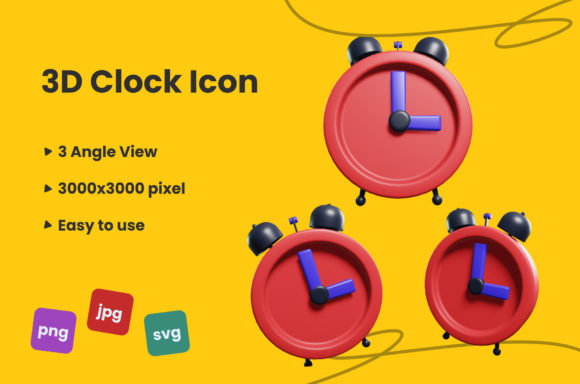
In the world of digital design, time is often represented by simple, flat symbols. We see them on our phones, in scheduling apps, and on corporate websites as minimalist line art or solid shapes. However, there is a distinct advantage to moving beyond two dimensions. A 3D Clock Icon offers depth, realism, and visual weight that can elevate a project from functional to memorable. Whether you are designing a user interface for a productivity app, creating marketing materials for a time-management workshop, or simply adding a touch of modern aesthetics to a blog post, understanding how to utilize high-quality 3D graphics can significantly enhance your creative output.
This guide explores the versatility of the 3D Clock Icon, specifically focusing on the technical benefits of having assets in multiple formats like JPG, PNG, and SVG. By leveraging these resources, creators can ensure their work remains crisp, professional, and adaptable across various platforms.
The Power of Dimensional Design
Why choose a three-dimensional representation over a traditional flat icon? The primary reason is engagement. In an era where screen real estate is crowded, subtle details like shadows, highlights, and perspective draw the eye. A 3D clock does not just indicate time; it suggests precision, technology, and craftsmanship. It adds a layer of sophistication that flat designs sometimes lack, making it particularly effective for brands that want to convey reliability and innovation.
For designers, working with 3D elements allows for greater experimentation with lighting and texture. You can create a sleek, metallic clock that feels industrial, or a soft, pastel-colored version that feels friendly and approachable. This flexibility means the same core concept can be adapted to fit vastly different brand voices without losing its recognizability.
Understanding File Formats for Maximum Versatility
To get the most out of a 3D Clock Icon, it is crucial to understand the strengths of different file types. High-quality assets are not one-size-fits-all; they serve specific purposes depending on the medium you are working with. Here is how each format contributes to your workflow:
JPG: High-Quality Image for Web Use
The JPG (or JPEG) format is ideal for scenarios where you need a lightweight, compressed image that displays well on websites and social media. With a resolution of 3000×3000 pixels, this file size provides ample detail for high-resolution screens. If you are using the clock icon in a hero banner, a presentation slide, or a printed flyer, the JPG format ensures that the colors remain vibrant and the image loads quickly. It is a practical choice for static displays where transparency is not required.
PNG: Clarity and Transparency
When you need to place the 3D clock icon over varied backgrounds—whether it’s a dark mode interface or a colorful photograph—the PNG format is indispensable. Like the JPG version, the 3000×3000 pixel resolution ensures sharpness, but the key advantage of PNG is its support for transparency. This allows the icon to blend seamlessly into any design layout without unsightly white boxes around it. For web developers and UI/UX designers, this clarity is essential for maintaining a clean and professional aesthetic.
SVG: Scalability for Any Screen Size
While the raster images (JPG and PNG) are fixed in pixel dimensions, the SVG (Scalable Vector Graphics) file offers infinite scalability. An SVG version of a 3000×3000 pixel equivalent design maintains its crisp edges regardless of how much you zoom in or out. This makes it perfect for responsive web design, where icons must look sharp on everything from small mobile devices to large desktop monitors. Additionally, SVG files are often smaller in file size than high-res rasters, leading to faster load times and better performance for SEO.
Creative Applications and Use Cases
Once you have access to these high-quality assets, the possibilities for application are extensive. Here are several practical ways to integrate a 3D Clock Icon into your projects:
- Productivity Tools: For apps focused on time tracking, Pomodoro techniques, or calendar management, a 3D clock icon can serve as the primary logo or a prominent feature button. Its tactile appearance encourages users to interact with the tool, reinforcing the idea of tangible time management.
- Educational Content: Educators and content creators can use the icon to symbolize deadlines, class schedules, or historical timelines. In online courses, it can help break up text-heavy sections, providing a visual cue that aids retention and navigation.
- Marketing and Branding: Small business owners launching a service related to punctuality, logistics, or event planning can use the icon in their branding kit. It communicates efficiency and attention to detail, values that customers prioritize when choosing a service provider.
- Blog Posts and Articles: Bloggers writing about work-life balance, remote work tips, or time-saving hacks can use the icon as featured images or inline graphics. This breaks the monotony of reading and keeps the audience engaged visually.
Tips for Effective Implementation
Using a 3D Clock Icon effectively requires more than just dropping the image onto a canvas. To ensure your design remains clear and audience-friendly, consider the following best practices:
- Maintain Consistency: If you are using a 3D style, try to stick to that style throughout your project. Mixing highly realistic 3D icons with flat, cartoonish illustrations can create visual dissonance. Ensure the lighting and shadow direction of the clock match other elements in your design.
- Balance Whitespace: 3D objects occupy more visual space than flat lines. Give your icon room to breathe by surrounding it with adequate whitespace. This prevents the design from feeling cluttered and allows the details of the 3D model to stand out.
- Consider Accessibility: While visual appeal is important, always include alt text for your images. Describing the image as "3D clock icon representing time management" helps search engines understand your content and assists users who rely on screen readers.
- Optimize for Speed: Even with high-quality assets, file size matters. Use the appropriate format for the context (SVG for web vectors, optimized JPG/PNG for photos) to ensure your pages load quickly. Slow-loading pages can hurt your SEO rankings and frustrate users.
Conclusion
Incorporating a high-quality 3D Clock Icon into your design toolkit is a smart move for any creative professional. The combination of visual depth, technical versatility, and broad applicability makes it a valuable asset for enhancing communication and engagement. By utilizing the available formats—JPG, PNG, and SVG—you can ensure that your designs remain sharp, scalable, and effective across all platforms.
Whether you are a seasoned designer looking to refresh your portfolio or a hobbyist starting your first project, taking the time to explore these resources can yield significant results. Thanks for visiting my design. If you liked this design, feel free to follow and check my store for more designs. Regards, Silenic Co 2021.